

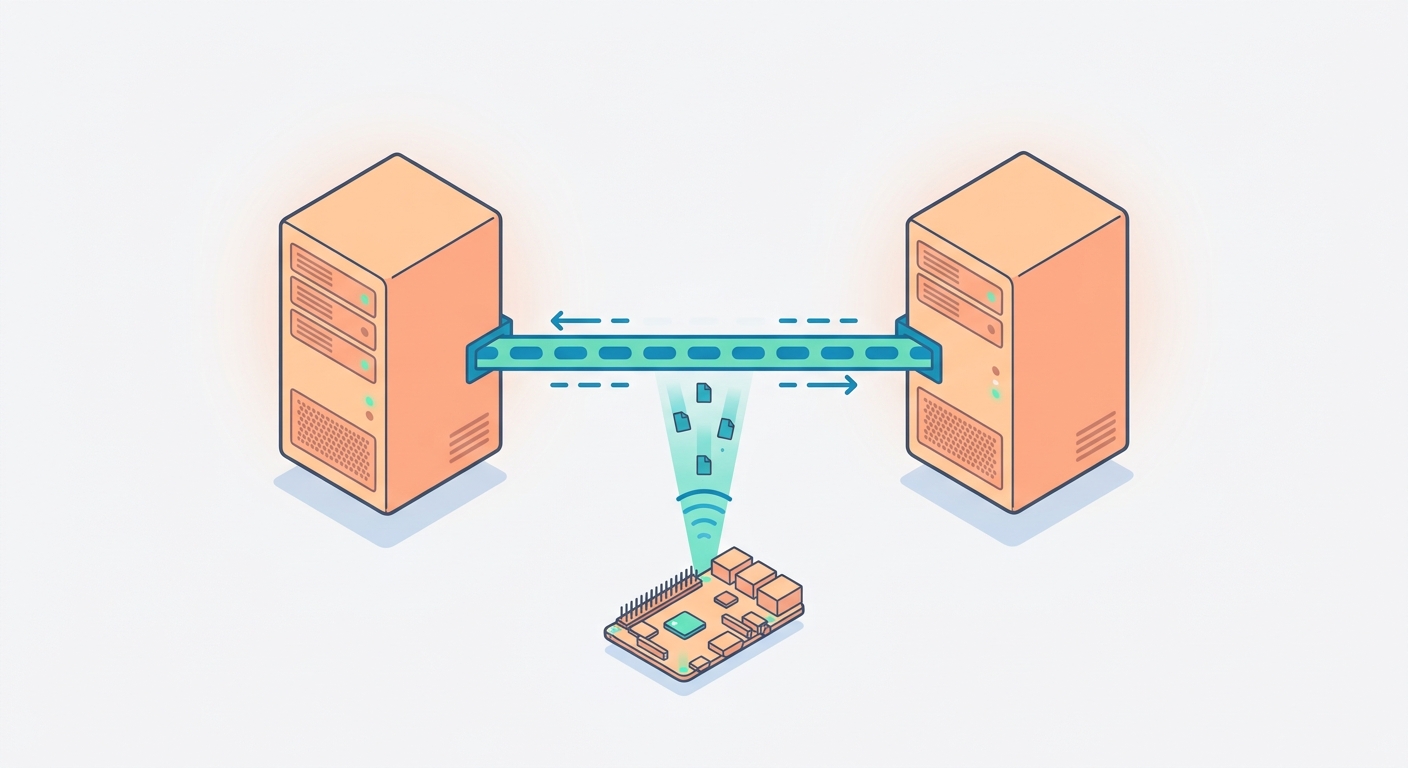
I’ve been running two standalone proxmox VE hosts in my lab for a while: VE (192.168.0.114) handling my core services like my Mastodon instance and work VMs and VE2 (192.168.0.106) handling Proxmox Backup Server and Adguard Home along with my personal workspace.
Eventually I decided it was time to join them into a unified cluster, backed by a Raspberry Pi 3b+ acting asa QDevice for quoram.
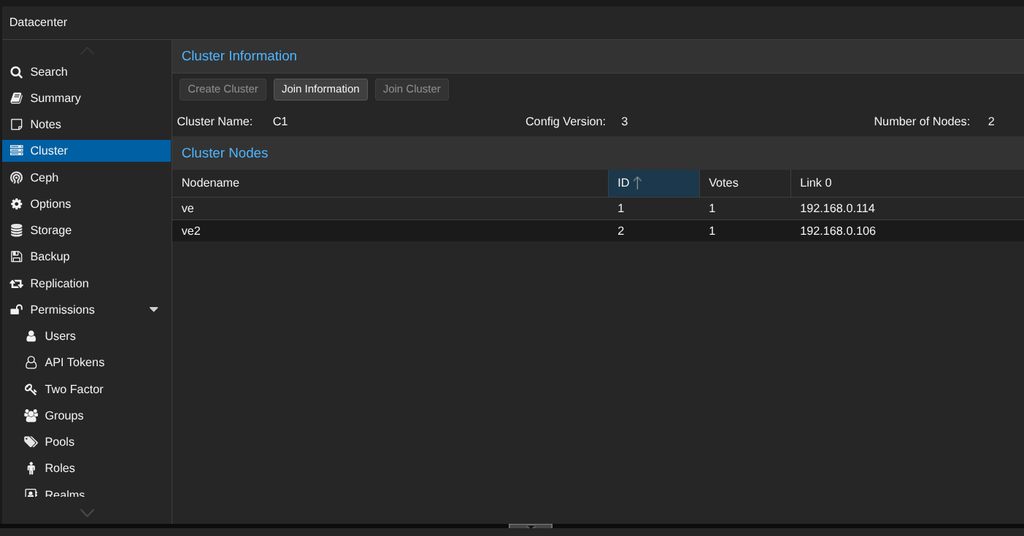
In theory, pvecm add takes 30 seconds. In Practice, doing this with existing VMs on both hosts turned into a lot of quirks.
Proxmox cluster architecture requires every guest ID in the cluster to be unique. Before doing anything, I checked my guest IDs:
- Node 1 (VE): 100, 101, 102, 103, 104
- Node 2 (VE2): 100, 101, 105
100 and 101 were in direct conflict. I needed to change the ID on Node 2 before joining the cluster:
- LXC 100 > 200
- VM 101 > 201
I shut down the target guests on Node 2, renamed the config files, updated the LVM volume names, and ran a quick sed to update reference inside the configs:
mv /etc/pve/nodes/ve2/qemu-server/101.conf /etc/pve/nodes/ve2/qemu-server/201.conf && lvrename /dev/pve/vm-101-disk-0 /dev/pve/vm-201-disk-0 && sed -i 's/101/201/g' /etc/pve/nodes/ve2/qemu-server/201.conf
As soon as I tried to start the VM:
TASK ERROR: no such logical volume pve/vm-201-disk-1
What went wrong? Appearently, sed indiscriminately replaced every string of 101 with 201. VM101 had two disks: vm-101-disk-0 (the EFI vars volume) and vm-101-disk-1 (the actual OS disk). Updating the config file meant Proxmox was now looking for vm-101-disk-1, which I hadn’t renamed yet because I only moved disk-0.
A quick check on lvs | grep vm- confirmed the orphaned volume. Then I renamed the second disk and started the VM:
lvrename /dev/pve/vm-101-disk-1 /dev/pve/vm-201-disk-1
qm start 201
This time it booted fine. Everything seemed normal or so I thought.
Next Step: joining Node 2 to Node 1 where I created the cluster:
pvecm add 192.168.0.114Proxmox threw the following error:
* this host already contains virtual guestsThe normal procedure in this case is: backup your VMs, destroy the node, join the cluster, and restore from backup. But I didn’t want to do that.
I opted for –force:
pvecm add 192.168.0.114 --forceProxmox warned me, logged in, synchonized certificates, stopped pve-cluster, generated new node files, and returned:
successfully added node 've2' to clusterI opened the Proxmox Web GUI. Node ve2 was there under Datacenter C1. But all guests under ve2 were gone from the sidebar.
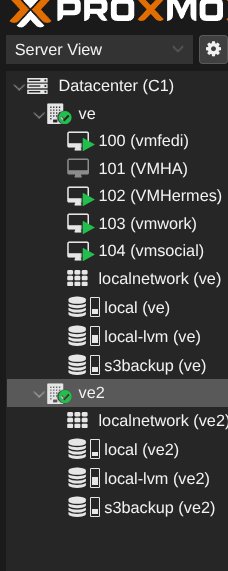
The underlying processes and QEMU instances were still running in host memory, and the virtual disk images were safely sitting on local-lvm. But because Proxmox overwrites the joining node’s /etc/pve virtual filesystem with the cluster database from Node 1, ve2‘s local guest .conf files had vanished.
Before diving into VM recovery, I wanted to get the quorum voting device online so the cluster wouldn’t panic if a node dropped.
First, I installed the required QDevice packages on all involved machines:
-
On the Raspberry Pi (
192.168.0.14):sudo apt update && sudo apt install -y corosync-qnetd -
On both Proxmox nodes (
veandve2):apt update && apt install -y corosync-qdevice
With the daemons in place, I jumped back to Node 1 (ve) and ran:
pvecm qdevice setup 192.168.0.14
Result:
/bin/ssh-copy-id: INFO: 1 key(s) remain to be installed
[email protected]'s password:
Permission denied, please try again.
I knew the root password on the Pi was correct because I had just set it using passwd.
The issue here is modern Raspberry Pi OS / Debian security policy: PermitRootLogin no is enabled by default in /etc/ssh/sshd_config. Setting a password doesn’t matter if password authentication for root is blocked globally over SSH.
I SSH’d into the Pi as my regular admin user, edited /etc/ssh/sshd_config to set PermitRootLogin yes, restarted SSH (sudo systemctl restart ssh), and reran pvecm qdevice setup. The keys synced, PKCS12 certificates imported across both nodes, and pvecm status gave me my 3 expected quorum votes.
Now for the real problem: getting my VMs back into the GUI. There is no need to panic. Because when Proxmox executes a forced join, it creates a backup of the joining host’s local databases in /var/lib/pve-cluster/backup/.
I checked Node 2 (ve2):
ls -la /var/lib/pve-cluster/backup/
# Found: config-1787593398.sql.gz
I tried to extract the archive using tar, but it failed:
tar -zxvf /var/lib/pve-cluster/backup/config-1787593398.sql.gz -C /tmp/pve_backup/
# Error: tar: This does not look like a tar archive
Despite the compression extension, this isn’t a .tar.gz archive. It’s a raw gzipped plain-text file. Decompressing required zcat ... > config.sql.
I then searched the decompressed config.sql for qemu-server/105.conf. But grep returned nothing. Because, Proxmox cluster state isn’t a flat file tree inside the backup script. It’s stored as SQL INSERT INTO tree statements with encoded data columns representing file paths and contents.
To query it, I piped the SQL script into a temporary SQLite database file:
sqlite3 /tmp/pve_temp.db "SELECT name FROM tree;"
# Output: 105.conf, 200.conf, 201.conf ...
There they were. I extracted the raw configuration blobs directly back into /etc/pve:
# Restore VM 105 (PBS)
sqlite3 /tmp/pve_temp.db "SELECT data FROM tree WHERE name = '105.conf';" > /etc/pve/nodes/ve2/qemu-server/105.conf

# Restore VM 201
sqlite3 /tmp/pve_temp.db "SELECT data FROM tree WHERE name = '201.conf';" > /etc/pve/nodes/ve2/qemu-server/201.conf

# Restore LXC 200 (AdGuard)
sqlite3 /tmp/pve_temp.db "SELECT data FROM tree WHERE name = '200.conf';" > /etc/pve/nodes/ve2/lxc/200.conf
Because 200 and 201 had been renamed prior to the join, I ran sed across the restored .conf files to guarantee their disk lines matched vm-200-disk-0 and vm-201-disk-1.
The second those .conf files were written to /etc/pve/nodes/ve2/, Proxmox’s pmxcfs replicated them across the cluster.
pvecm status now shows a healthy, quorate 3-vote cluster:
Votequorum information
----------------------
Expected votes:   3
Highest expected: 3
Total votes:      3
Quorum:           2
Flags:            Quorate Qdevice

Membership information
----------------------
    Nodeid      Votes    Qdevice Name
0x00000001          1    A,V,NMW 192.168.0.114 (ve)
0x00000002          1    A,V,NMW 192.168.0.106 (ve2)
0x00000000          1            Qdevice
At the end of the day, my two nodes are finally unified, the Raspberry Pi is doing its job keeping quorum, and no VMs were harmed in the process (even if my heart rate spiked a few times).



Leave a Reply